
Rooting BlackBerry 10 in 2026: A Practical Guide for Q10, Classic (Q20), and Passport (Q30)
BlackBerry 10 devices—especially hardware-keyboard icons like the Q10, Classic (Q20), and Passport (Q30)—are built on BlackBerry’s microkernel QNX Neutrino RTOS. While historically renowned for their rock-solid security and sandbox sandbagging, keeping these devices genuinely useful today requires stepping beyond stock limitations.
With recent tooling updates like AutoRoot v3, gaining root privileges on BB10 has become remarkably stable and repeatable.
📌 Original source: This guide is based on the upstream write-up Pre-rooted Autoloaders v3 published by the BB10 Root project at bb10.root.sx. All credit for the Autoloader tooling belongs to its authors—this post only documents my own experience running it on Q10, Classic, and Passport hardware.
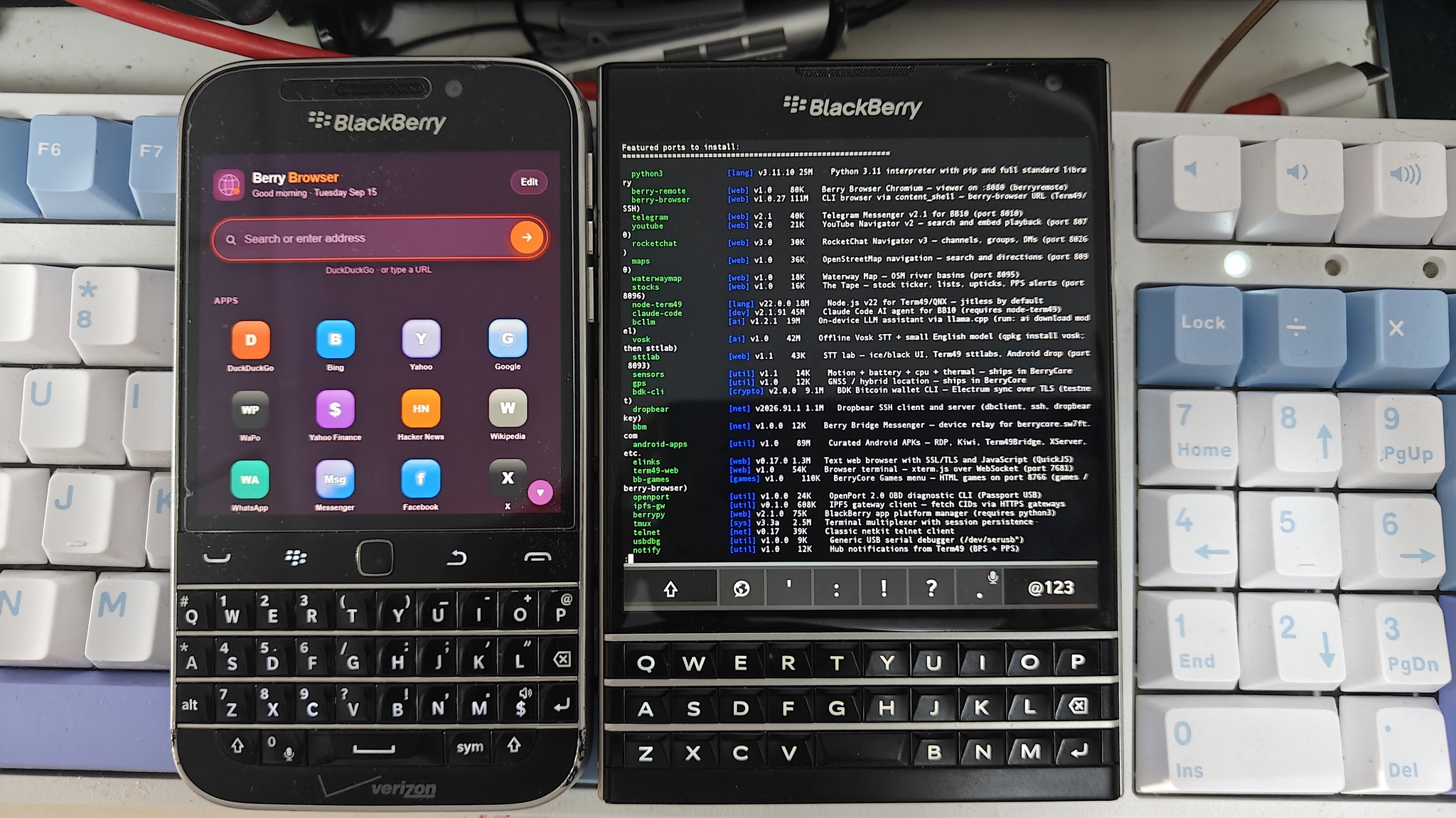
BlackBerry Classic (Q20) running Berry Browser (left) alongside BlackBerry Passport (Q30) running BerryCore with Python 3.11, Node.js, and Claude CLI (right)
🚀 What AutoRoot v3 Brings
The steps below follow the upstream Pre-rooted Autoloaders v3 documentation, condensed for BB10 newcomers. AutoRoot v3 focuses on low-level system stability and scriptable QNX image packing rather than invasive rewrites:
1. Native QNX6FS Scripting
Powered by bb10mt (inspired by Pablo Ferreira’s BlackberrySystemPacker), you can now build custom patched autoloaders directly from stock official firmware images rather than hunting for shady pre-built binaries.
2. Autostart via /usr/bin/context
A modified getroot.bar hijacks the system /usr/bin/context binary, turning it into an early-boot autostart manager.
3. Lean Boot Architecture
Disables legacy background services that churn CPU cycles without providing value on modern cellular networks, resulting in faster cold boots and better battery longevity.
4. System-Wide Root Escalation
Root privileges are no longer locked inside interactive SSH sessions. You can expose system-wide elevated process execution through u_root and __root (disabled by default for safety).
5. NVRAM Backup Safeguards
AutoRoot trims NVRAM archives to preserve the initial baseline backup plus the 3 most recent snapshots under /accounts/1000/shared/downloads/nvram.
⚙️ Configuration (patch.txt)
Before building your custom autoloader, inspect and adjust patch.txt:
Enable Root for Native Apps (e.g., term49)
Uncomment:
1 | touch /var/rootdata/use.root |
Enable SSH Access
By default, the SSH daemon (sshd) is disabled. To enable it:
1 | touch /var/rootdata/use.ssh |
Persisting Custom SSH Keys
Place your personal public key in:
1 | patchdata/var/etc/ssh/authorized_keys2 |
And ensure these entries are active in patch.txt:
1 | push "patchdata/var/etc/ssh/authorized_keys2" "/var/etc/ssh/authorized_keys2" |
To prevent host key mismatch warnings after reflashing, also copy your existing host keys into patchdata/var/etc/ssh/ssh_host_rsa_key and uncomment their respective push directives.
🔨 Building the Autoloader
You will need the stock BlackBerry 10 autoloader .exe matching your target device and OS build (tested primarily on 10.3.3.3216).
On Windows (PowerShell):
1 | .\root_v3.ps1 <StockAutoloader.exe> [temp_dir] [/c] |
(The optional /c switch activates compression, significantly reducing image footprint.)
On Linux / macOS:
1 | ./root_v3.sh [-c|--compact] <StockAutoloader.exe> [temp_dir] |
The script unpacks the IFS and QNX6 filesystem images, applies the root binaries and configuration patches, and emits two executables:
_root_v3.exe(User filesystem image with root environment)_radio.exe(Cellular baseband radio image)
📲 Flashing Procedure
⚠️ Prerequisite: Ensure the BlackBerry device is already running the stock version corresponding to the autoloader you used to build
_root_v3.exe.
Connect the phone via micro-USB while holding the volume keys if needed, and run the tools in order:
1 | Stock Firmware (already running on phone) |
Once booted, open BlackBerry Hub. If everything went smoothly, you will receive a congratulatory root notification:
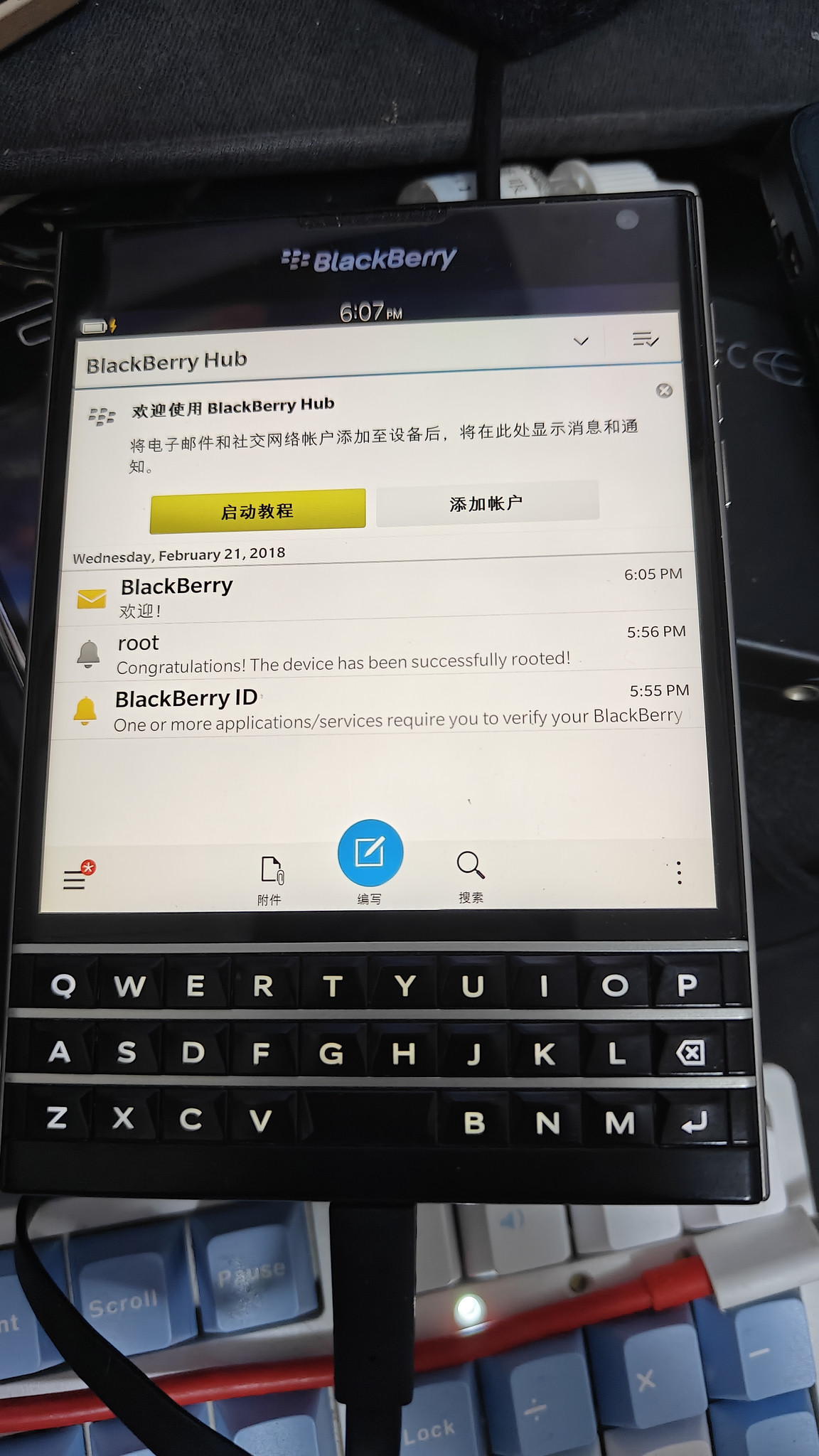
Confirmation notice in BlackBerry Hub: "The device has been successfully rooted!"
🌟 Life After Root: The BerryCore Ecosystem
Rooting a QNX-based phone isn’t quite like rooting Android—QNX permissions and capabilities are strictly enforced by the microkernel. However, root unlocks the single most exciting software layer available for modern BB10 enthusiasts: BerryCore.
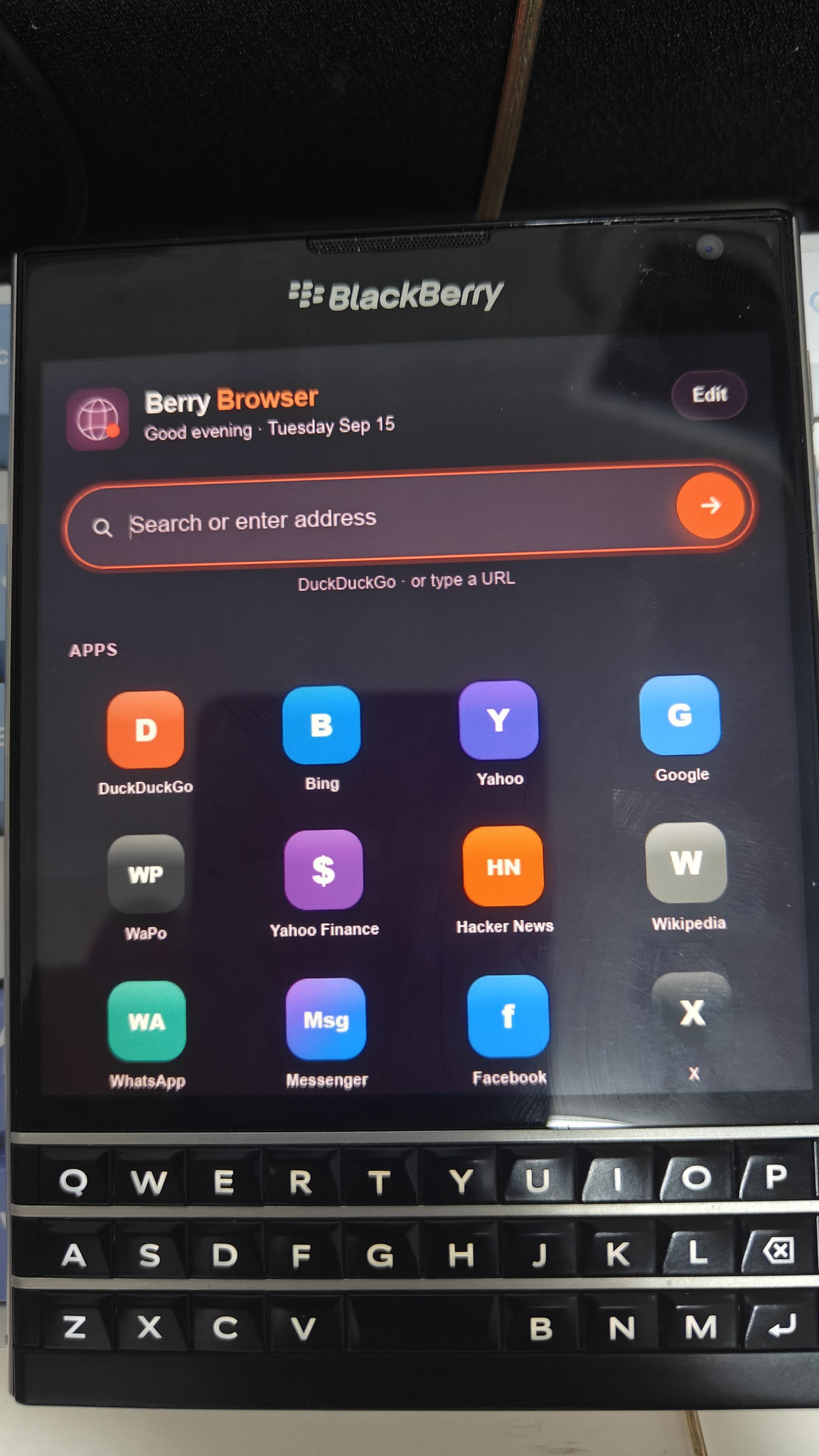
Berry Browser running with a modern startpage on the Passport's 1440x1440 display
With BerryCore and root access:
- No Developer Signing Required: Sideload BAR applications freely without developer tokens or token expiration headaches.
- Modern Runtimes: Run Python 3.11, Node.js v22, and lightweight terminal AI clients directly on device.
- Berry Browser: A Chromium-based browser layer that handles modern web standards and embedded utility apps.
- Native Indie Ports: Enables running custom native utilities like LocalSend for BlackBerry 10 and custom network daemons seamlessly over local Wi-Fi.
For retro hardware lovers and keyboard purists, a rooted BlackBerry Passport or Classic remains one of the most distinctive and capable pocket terminals you can carry.