
Porting LocalSend to BlackBerry 10: Seamless File Sharing for Vintage Hardware
LocalSend for BlackBerry 10
Download from Google DriveGetting files onto and off legacy devices is always the biggest friction point of keeping them in daily rotation. Recently, after jailbreaking my BlackBerry Q10, Classic (Q20), and Passport (Q30), I originally built a dedicated SMB utility (CocoSMB). But mounting network shares across multiple modern devices still felt too cumbersome for quick day-to-day transfers.
So I decided to take the natural next step: port LocalSend directly to BlackBerry 10.
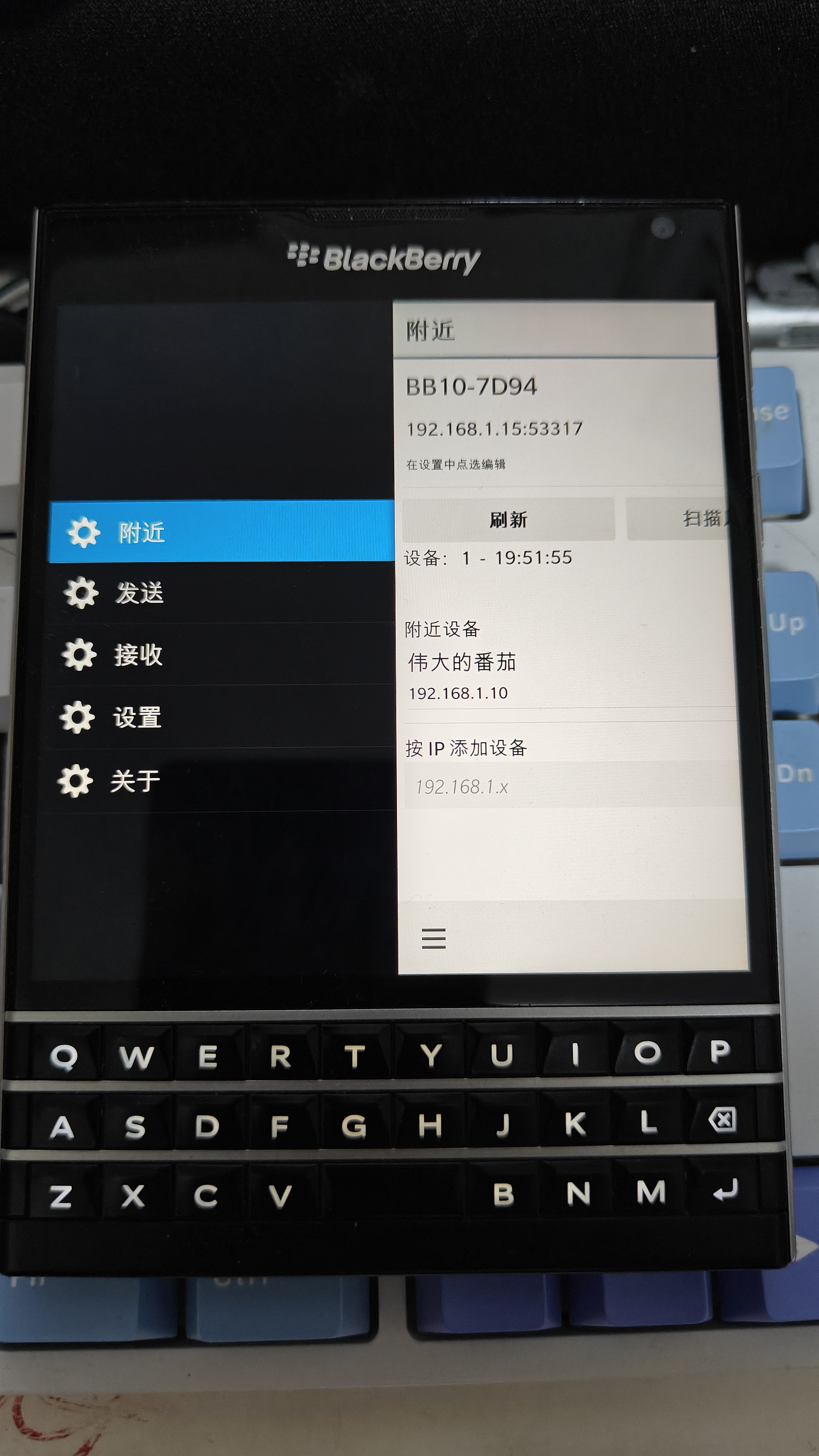
LocalSend running natively on the iconic 1:1 square display of the BlackBerry Passport (Q30)
The Porting Story: A Decade Later, Aided by AI
The last time I developed native software for BlackBerry 10 was over ten years ago. Back then, I spent years working closely with Qt and QML across MeeGo, Maemo, and BlackBerry 10 Cascades. The declarative UI architecture was familiar territory.
What surprised me the most this time was how radically developer workflows have changed. Using OpenCode paired with AI assistance, the porting process took only a few days to bridge the core LocalSend REST/multicast protocol, build the QML-based UI, and wire up native file pickers and network transports for BB10.
If things keep evolving at this rate, someone will probably revive Symbian with AI before too long!
App Screenshots (English Interface)
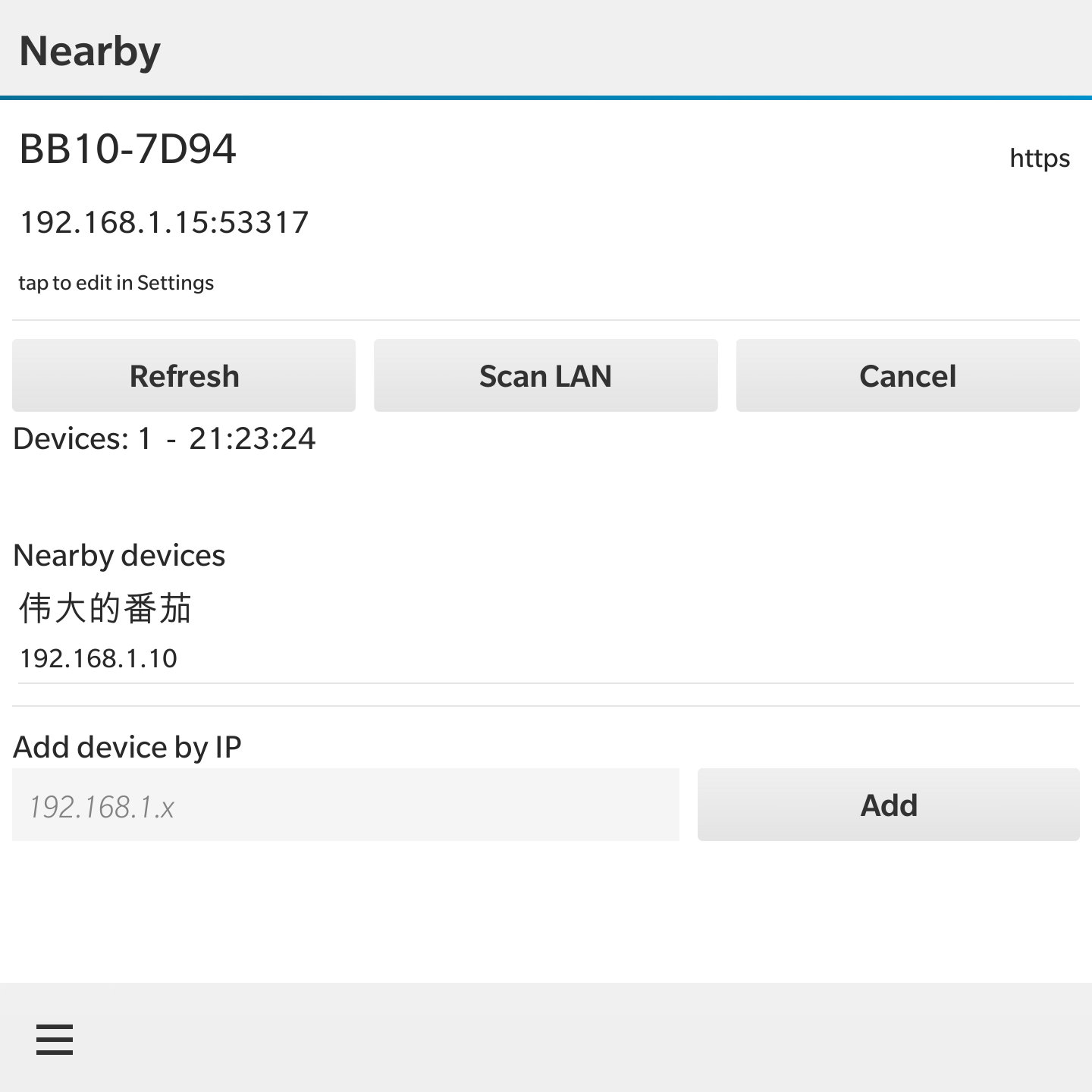
Nearby devices & LAN discovery
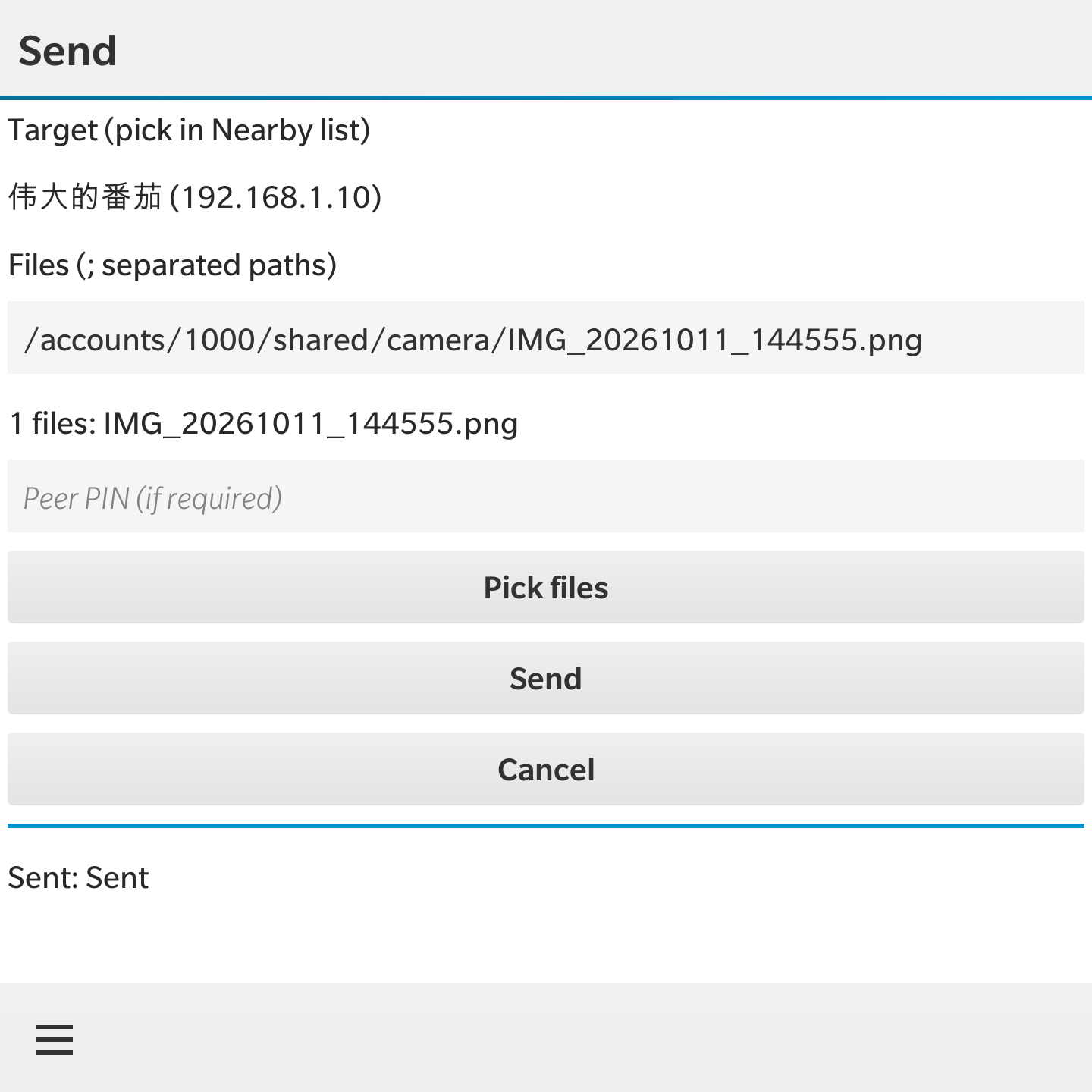
File selection & direct sending
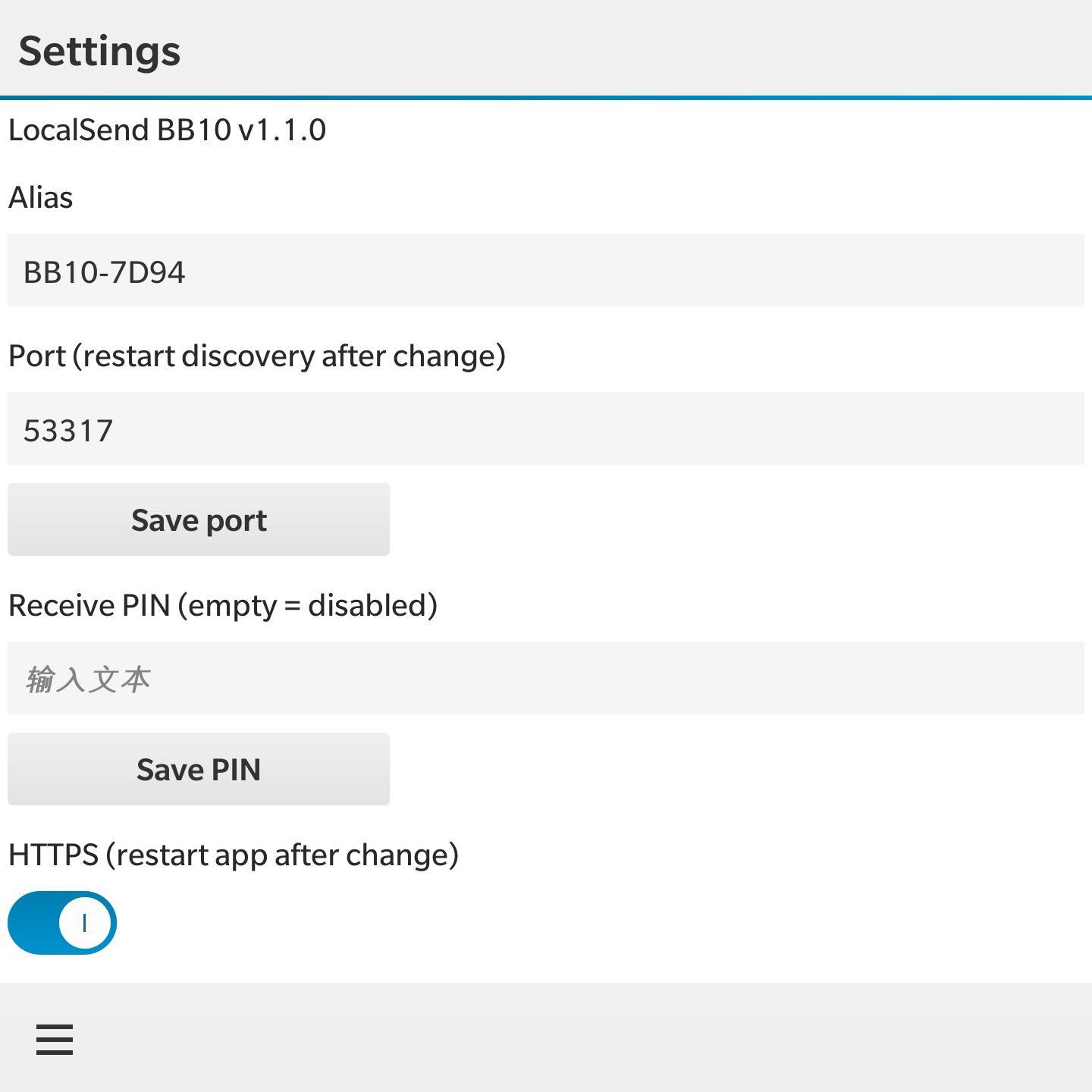
Settings: Alias, PIN & HTTPS toggle
Key Features & v1.1.0 Improvements
- Zero Cloud, Zero Setup: Transfers work entirely over your local Wi-Fi network using standard LocalSend protocol.
- LAN Discovery & Manual IP: Automatically scans for nearby phones, tablets, and PCs running official LocalSend clients, with manual IP entry supported.
- Native File Picker: Pick photos, documents, and archives stored on your BlackBerry internal storage or microSD card.
- PIN Security & HTTPS Toggle: Protect incoming transfers with an optional PIN and easily toggle HTTPS mode.
- Optimized for Square Screens: Clean layout designed specifically for the unique aspect ratios of devices like the Q10 (720x720) and Passport (1440x1440).
- v1.1.0 Updates: Fixed issues when operating behind proxies, and significantly improved transfer throughput for larger files.
Download
The BAR installation package is hosted on Google Drive:
Note: Sideloading requires a jailbroken or developer-mode-enabled BlackBerry 10 device running OS 10.3 or later.