
Spanning 10 Generations of Android: Upgrading a 2017 Xiaomi Redmi 4X to Android 16
Roughly nine years ago, when my younger sister landed her first job, she bought my father a budget smartphone: a Xiaomi Redmi 4X (code-named santoni). With an entry-level Qualcomm Snapdragon 435, 2 GB of RAM, and 16 GB of storage, it cost roughly $100 USD (700 RMB) brand new.
Years later, after he upgraded, the little phone became my everyday mobile testbed. Over the years, I flashed almost every major Android milestone onto it. This week, I took it all the way to LineageOS 23.2, running Android 16.
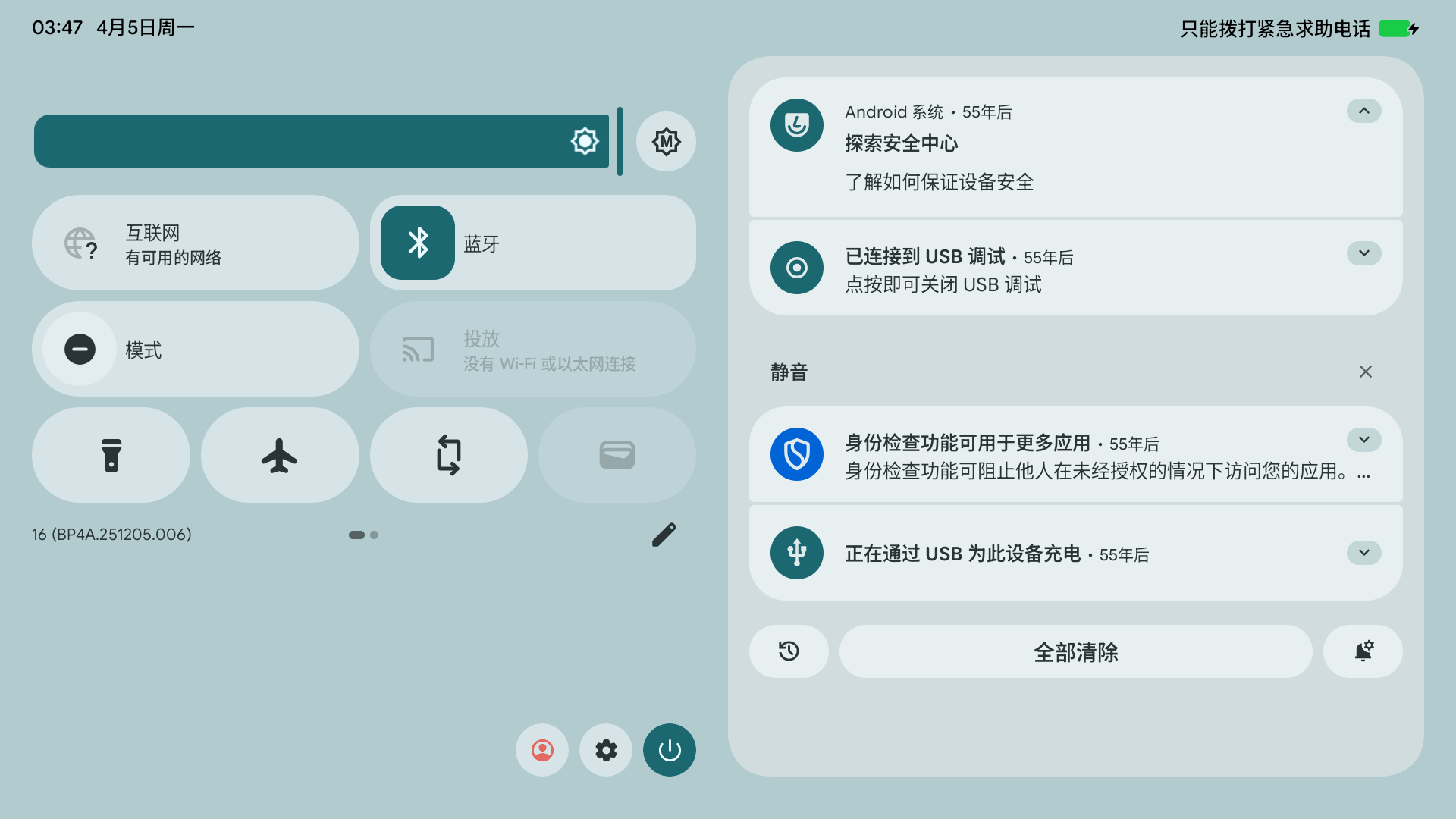
Android 16 running cleanly on a 2GB RAM budget phone
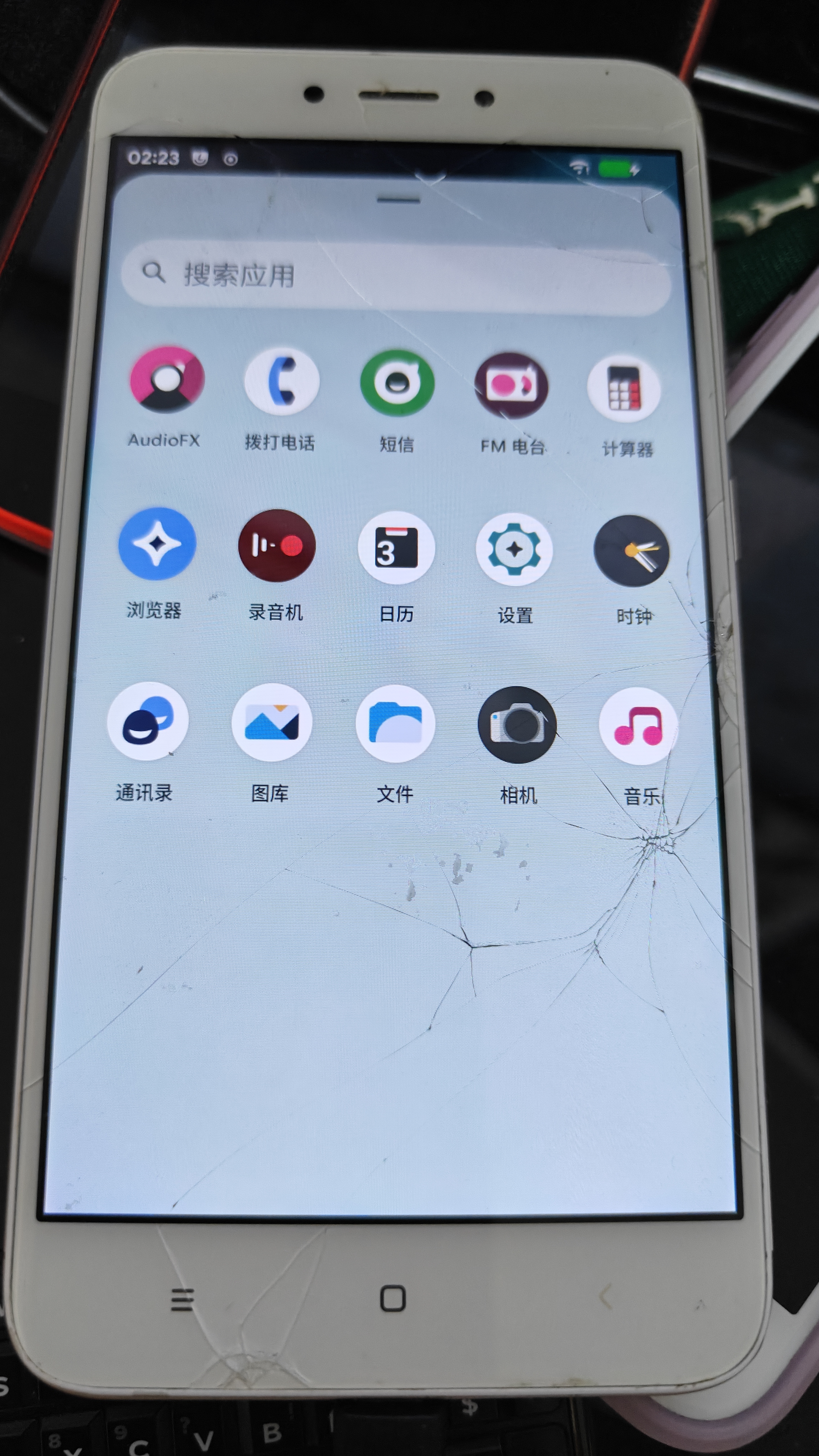
Battle scars: a cracked front glass, still ticking
📈 Stretching Hardware Longevity to the Limit
The Redmi 4X shipped out of the factory with Android 6.0.1 Marshmallow (MIUI 8).
Booting Android 16 represents a leap across ten consecutive major Android platform generations:
1 | Android 6 (Marshmallow) → 7 → 8 → 9 → 10 → 11 → 12 → 13 → 14 → 15 → 16 |
In the history of budget smartphones, few devices have ever enjoyed such an enduring community maintenance lifespan.
📺 Repurposed as an Android TV Simulation Testbed
Instead of sitting in a drawer, this battered phone served as an active development appliance for my work on Android TV applications (such as CocoFileTV).
Testing TV user interfaces when traveling or working without external HDMI monitors is notoriously awkward. Software emulators are notoriously sluggish on laptops. The Redmi 4X became the ideal portable hardware stand-in.
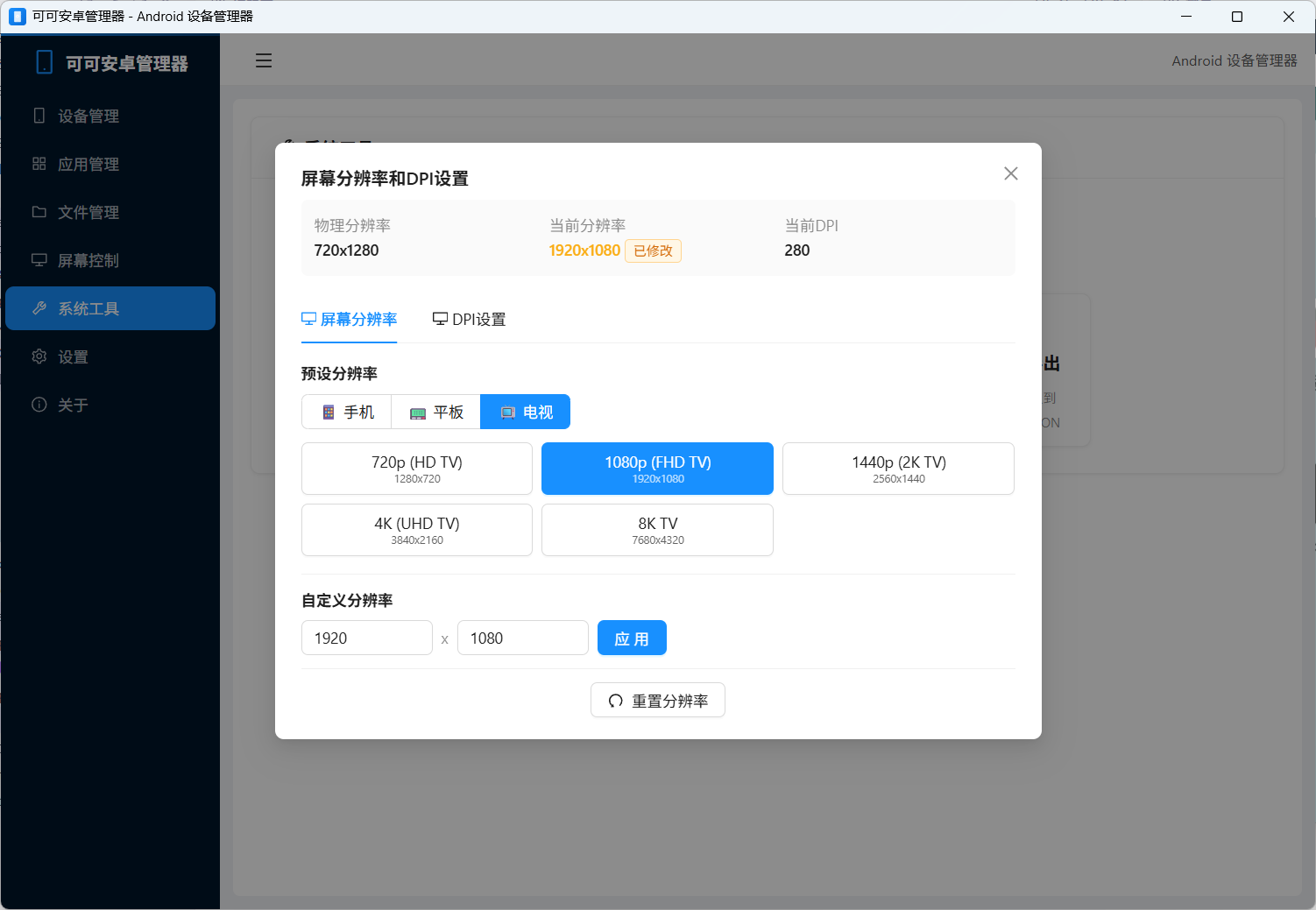
Dynamically modifying DPI and resolution to simulate 10-foot TV layouts
1. UI Density & Resolution Adaptation
Using custom desktop helper scripts, I dynamically override the phone’s framebuffer geometry via wm:
1 | # Simulate 1080p TV density and proportions |
This lets me verify leanback focus states, D-pad navigation boundaries, and large-screen aspect ratios on genuine physical ARM silicon.
2. Benefits Over Desktop Emulators
- Native GPU Surface Composition: Verifies real OpenGL ES rendering behaviors rather than virtualized desktop drivers.
- D-Pad & Remote Event Mapping: Test Bluetooth HID remote controllers and input latency under realistic physical radio conditions.
- Instant Boot: Zero wait times compared to spinning up heavyweight Android TV emulator images.
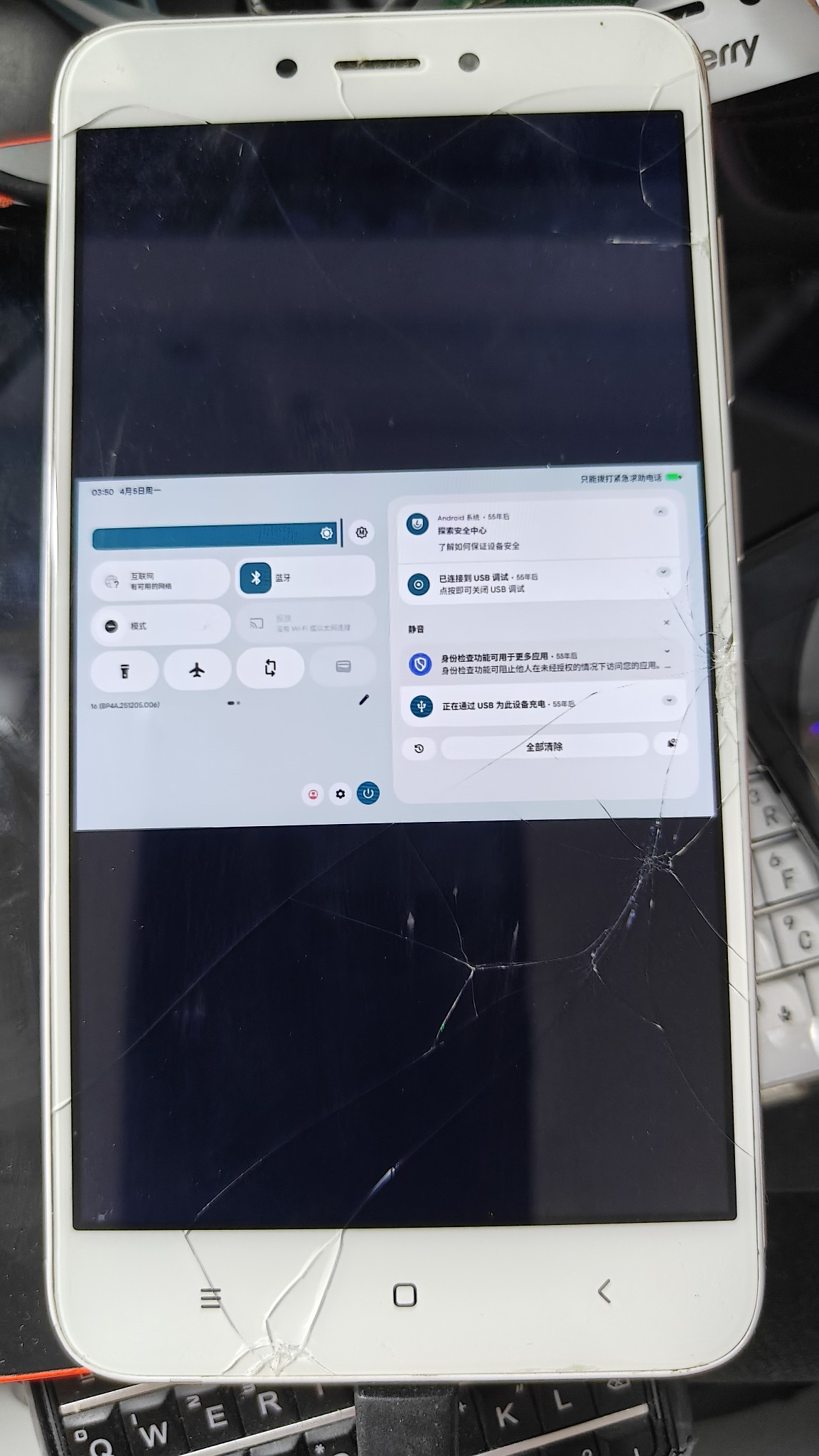
The $100 phone that became a dependable ten-year engineering testbed
🔬 Why Did the Redmi 4X Survive When Others Died?
Surviving nine years of active tinkering comes down to clean hardware fundamentals:
- Rock-Solid Silicon: Qualcomm’s Snapdragon 435 (MSM8937) was humble, but built on proven, stable microarchitecture without chronic thermal throttling or solder degradation issues.
- Open Kernel Source: Early kernel releases gave maintainers a predictable baseline that adapted cleanly across Project Treble and modern SELinux policies.
- LineageOS Community Chain: The unified
msm8937common device tree was maintained by enthusiastic developers across multiple continents.
⚡ Quick Flashing Notes
Once the bootloader is officially unlocked, flashing modern LineageOS follows standard Fastboot and ADB sideload protocols:
1 | # 1. Flash custom recovery and matching boot kernel |
💡 Final Reflections
A $100 budget phone bought for family in 2017 has outlived multiple generations of flagship devices.
It reminds us that true hardware value isn’t measured in launch-day benchmark scores. When open platforms and dedicated developer communities come together, even the humblest hardware can continue delivering real utility long after its original creators have moved on.