
Porting Paseo to BlackBerry 10: Orchestrating Modern AI Coding Agents from a Vintage Physical Keyboard
After recently rooting my fleet of BlackBerry 10 devices (Q10, Classic Q20, and Passport Q30), I wanted to give them a real, modern everyday purpose rather than leaving them as nostalgic shelf ornaments.
One tool I rely on heavily in my daily developer workflow is Paseo—an open-source orchestration control plane for AI coding agents. I decided to port Paseo natively to BlackBerry 10, turning my BlackBerry Passport into a portable pocket mission control for AI coding sessions.
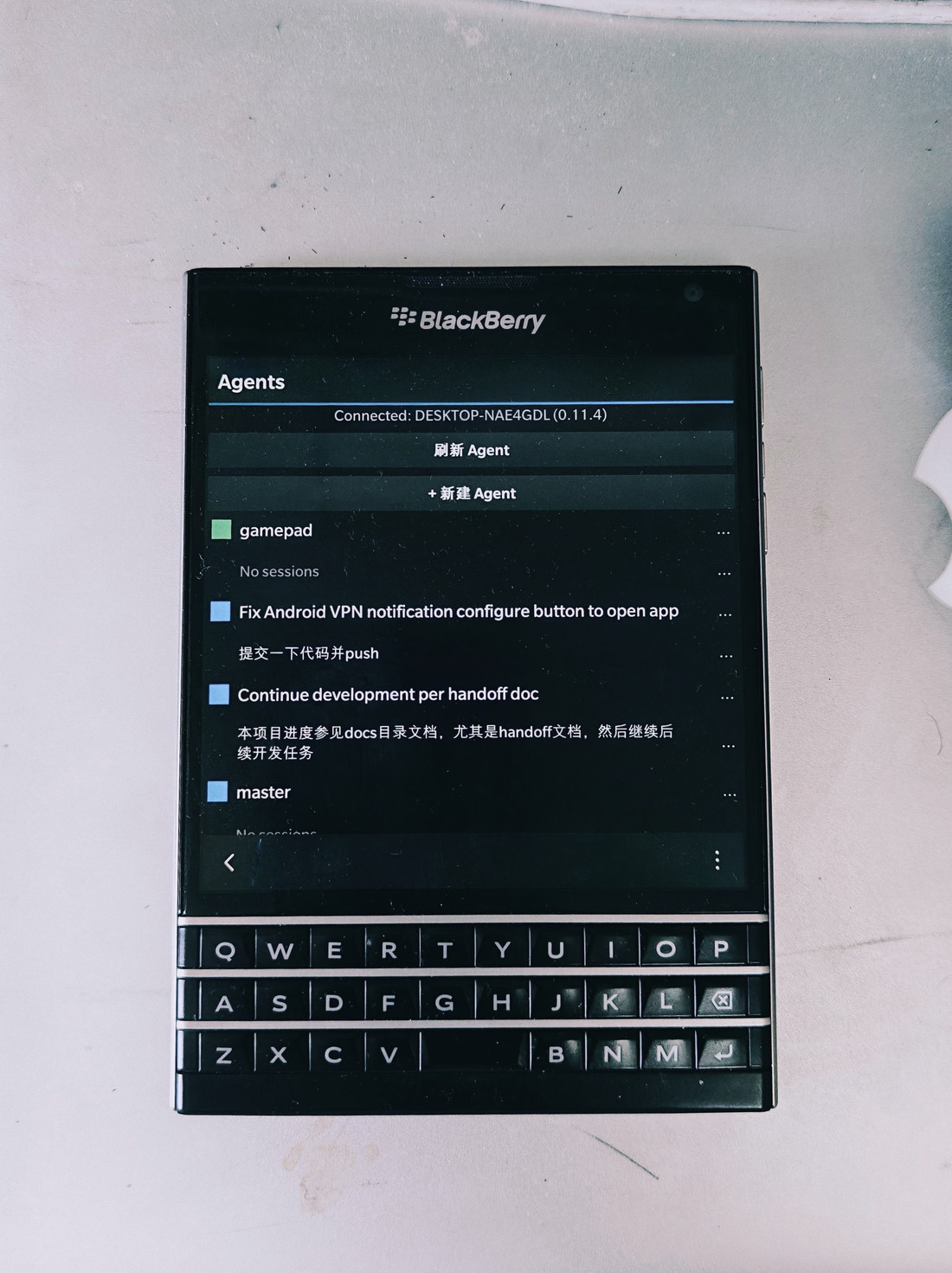
Paseo running on the BlackBerry Passport Q30, connected to a remote desktop workspace
🎯 What Is Paseo?
Paseo functions as a centralized mission control for AI coding tools. Instead of juggling fragmented terminal windows, Paseo brings tools like Claude Code, Codex, and OpenCode together under a unified interface.
In my own workflow, my primary CLI assistants are OpenCode and Claude Code. Having Paseo on a pocket device with a physical tactile keyboard means I can remotely monitor, instruct, and review long-running coding agents on my home workstations while on the go.
📱 BlackBerry 10 Interface Preview
Because the underlying BB10 WebKit/Cascades stack is vintage, several modern CSS and layout features require graceful degradation. The UI prioritizes high information density and tactile typing over flashy animations:
1. Agents Dashboard
Connects seamlessly over LAN (or via reverse SSH / VPN when out and about), listing active workspace sessions and git branches at a glance:
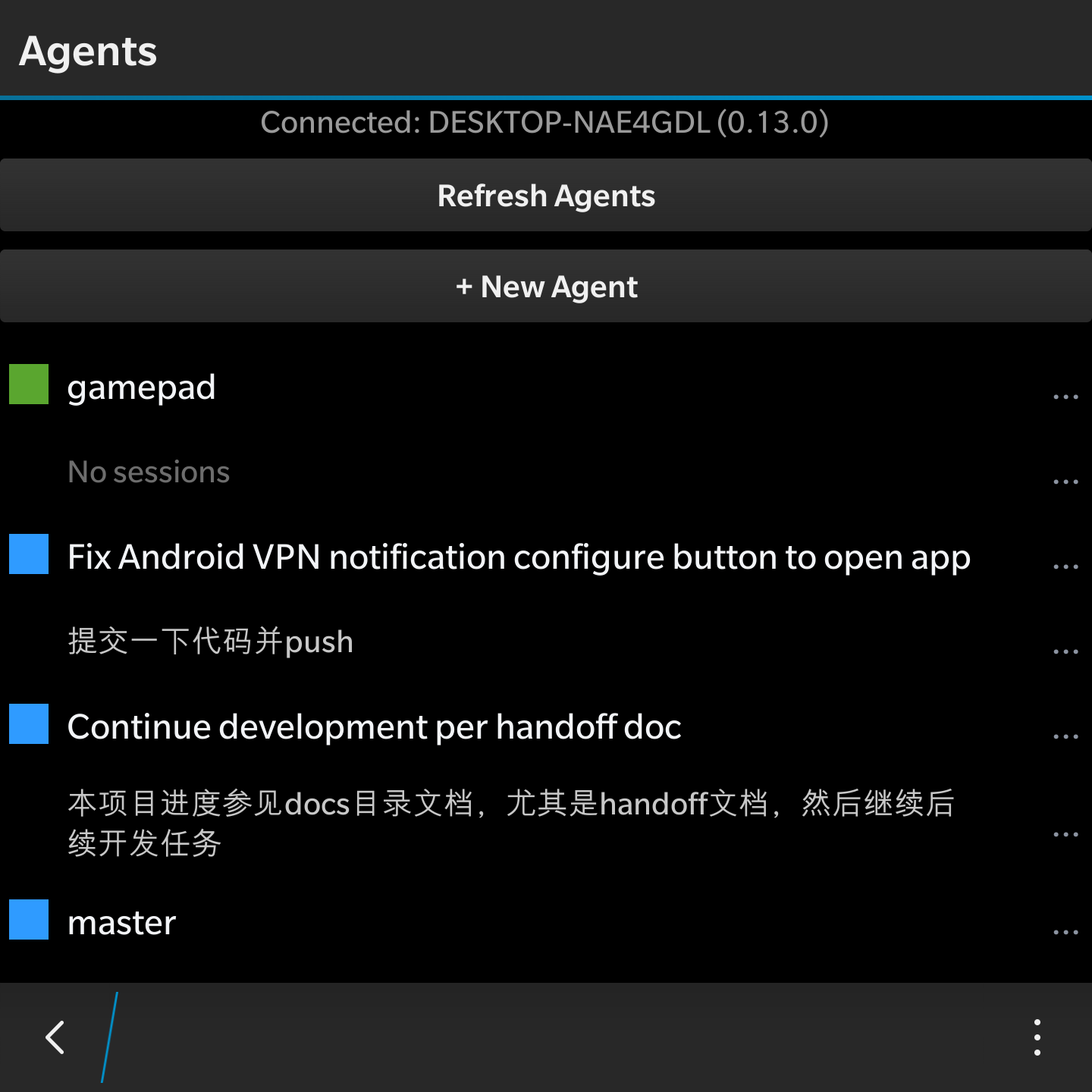
Managing active coding agents and project workspaces
2. Live Agent Sessions & Streaming Chat
Monitor real-time agent output, token usage, context windows, and tool executions. You can submit prompt corrections or dispatch follow-up commands directly from the BlackBerry’s physical QWERTY keyboard:
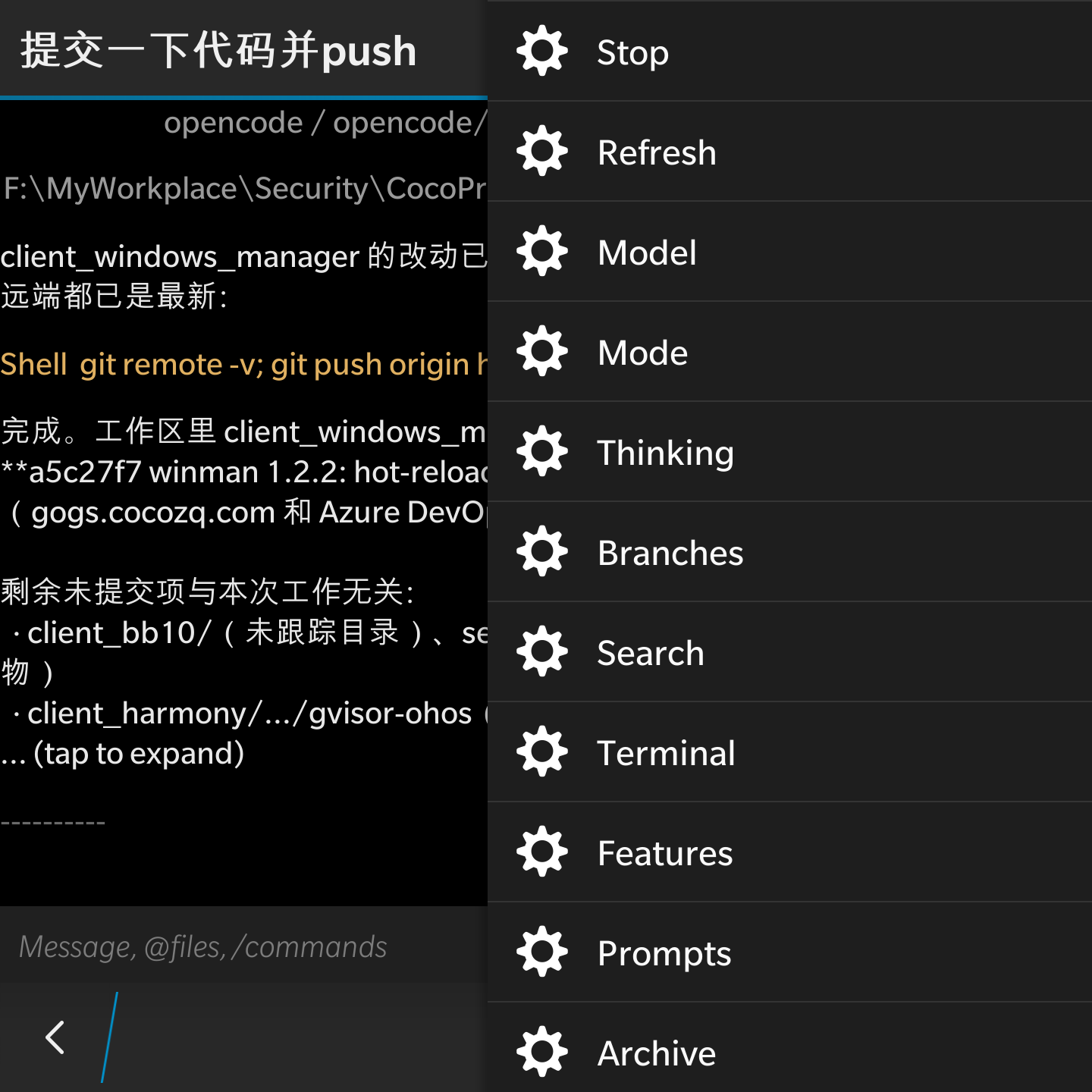
Reviewing agent git operations and execution steps in real time
3. Model & Provider Selection
Easily switch providers and models on the fly—whether routing quick edits through DeepSeek V3 / Flash Free tiers or delegating complex refactors to Claude 3.5 Sonnet:
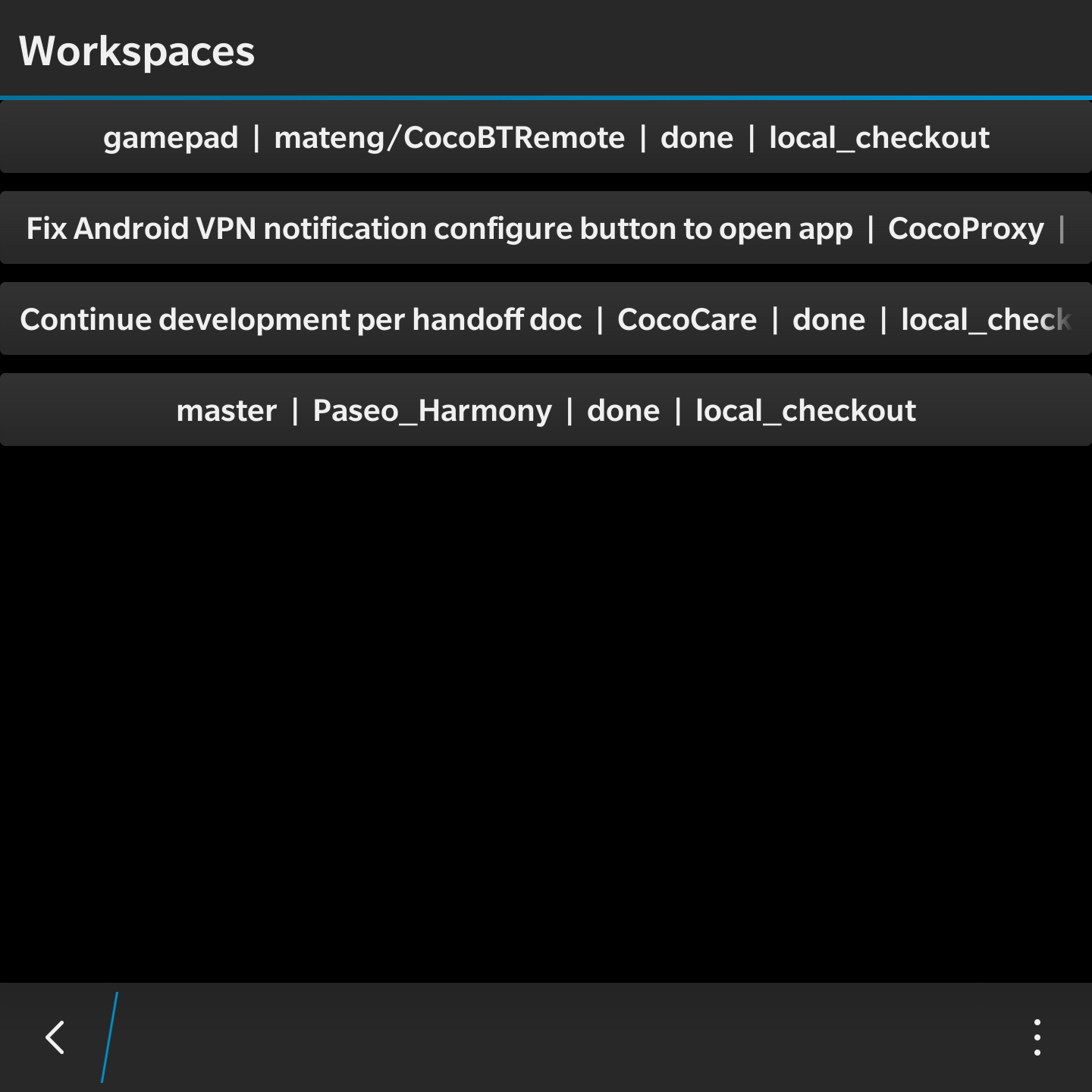
Project directory tree & workspace picker
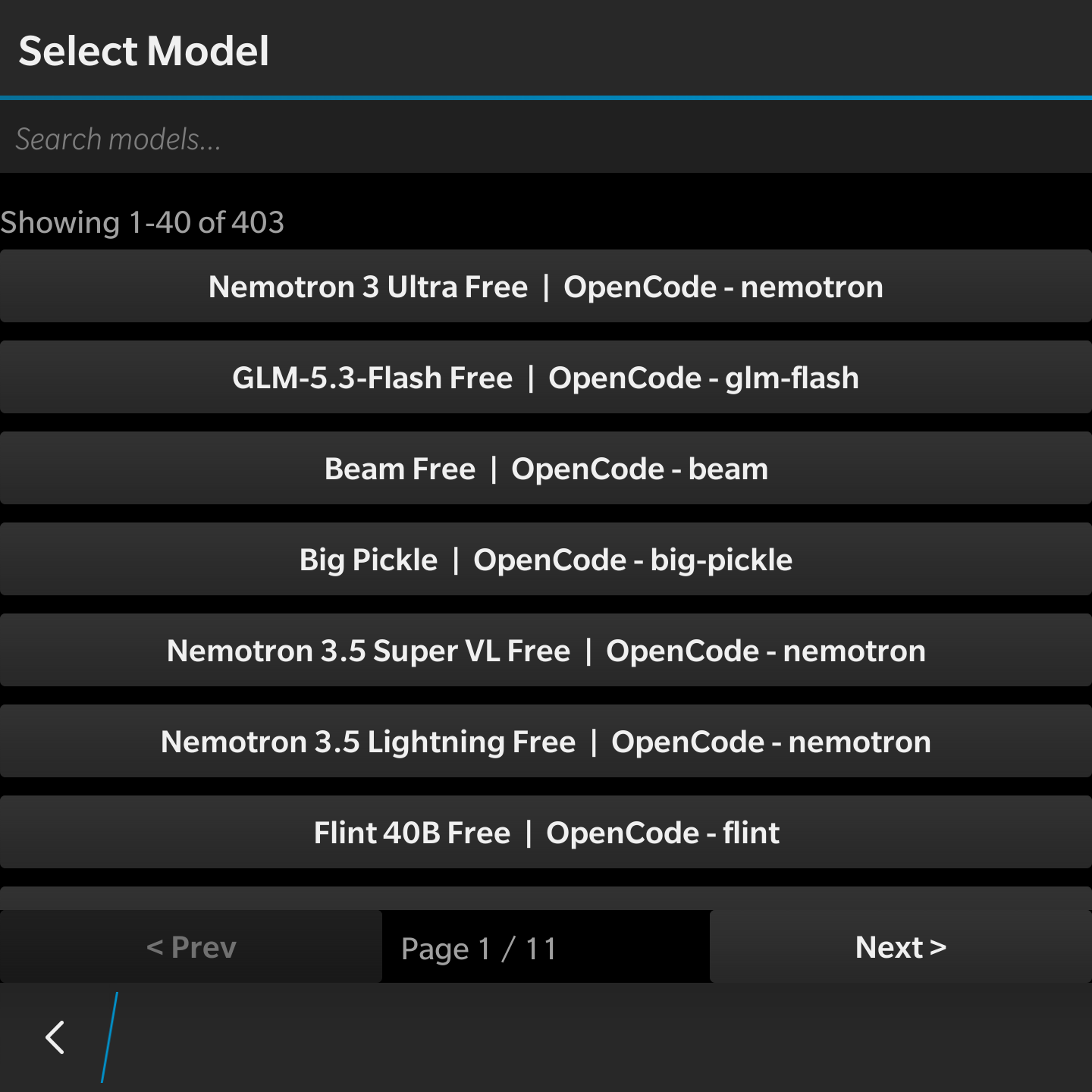
Configuring CLI tools and model backends
4. Connection & Language Settings
Point the client at your workstation’s Paseo endpoint, save the connection, and pick your UI language—English and Simplified Chinese are both bundled:
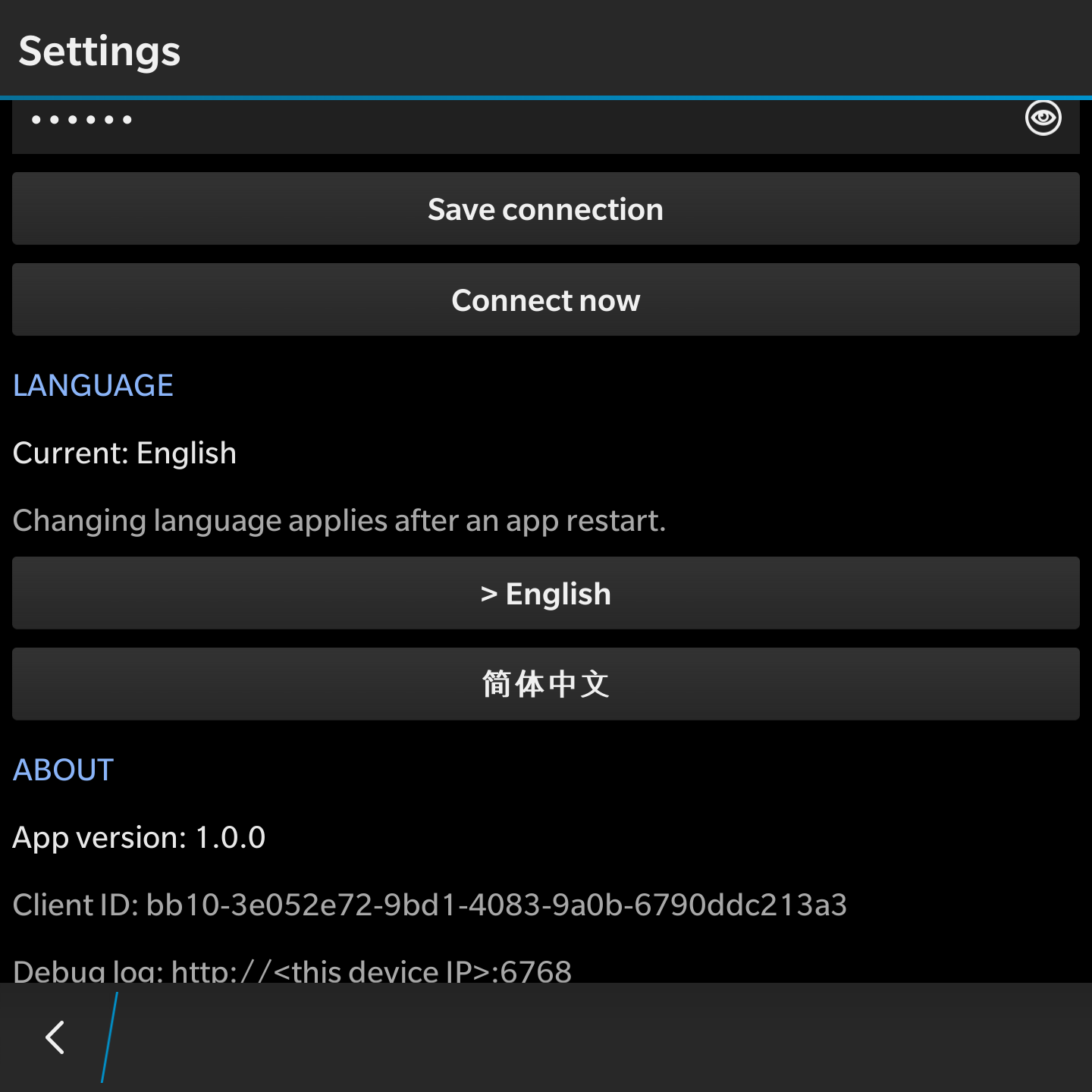
Saving the server connection and switching interface language
🛠️ Download & Sideloading
For fellow BlackBerry collectors looking to put their hardware back to work:
Requirements: A jailbroken / developer-mode BlackBerry 10 device running 10.3 or later.