
Introducing CocoNote: A Local-First, Scan-to-Open Smart Note App

CocoNote
Get it on Google PlayEvery utility tool starts with a problem close to home. For CocoNote, it was a very personal one: helping my aging parents manage their small hometown grocery store.
Today, I’m excited to share the story behind CocoNote, how it works, and how it evolved into a modern, scan-to-open everyday note-taking application.
The Origin Story
My parents run a small convenience store in my hometown. Over the years, with hundreds of items coming in and out, remembering the price and stock details of every single product became increasingly difficult for them.
I wanted to give them a tool that was effortless to use: point the camera at any barcode, scan it, and immediately see the product’s price, specs, and stock notes.
No complex spreadsheets, no bloated POS systems with monthly subscriptions—just a clean, responsive mobile app that solves the exact problem in front of them.
As I built and refined it, I began using it for my own daily routines—tracking medication schedules, managing hardware device serial numbers, indexing household storage boxes, and logging everyday expenses. That’s how CocoNote grew into the product it is today.
Key Highlights & App Screenshots
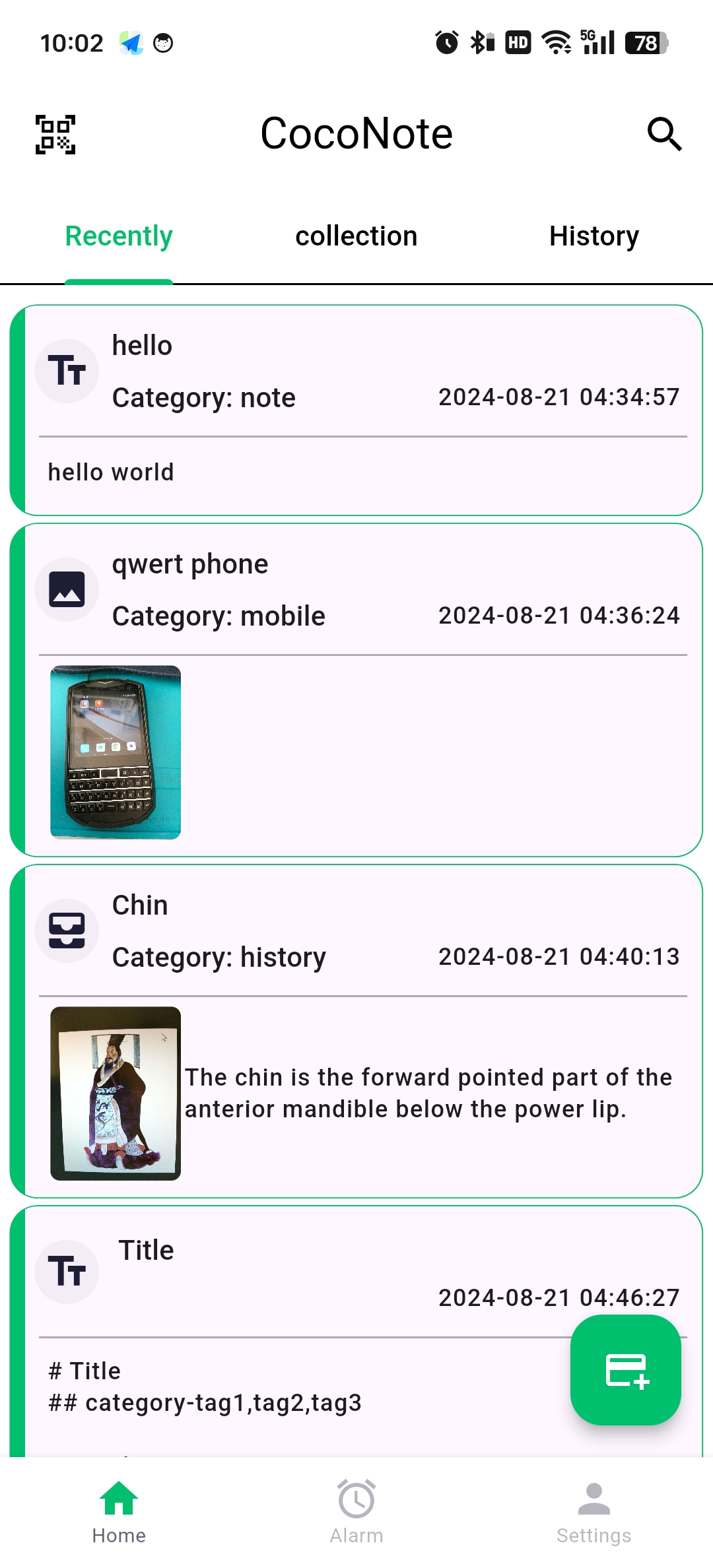
Clean Note Stream & Quick Actions
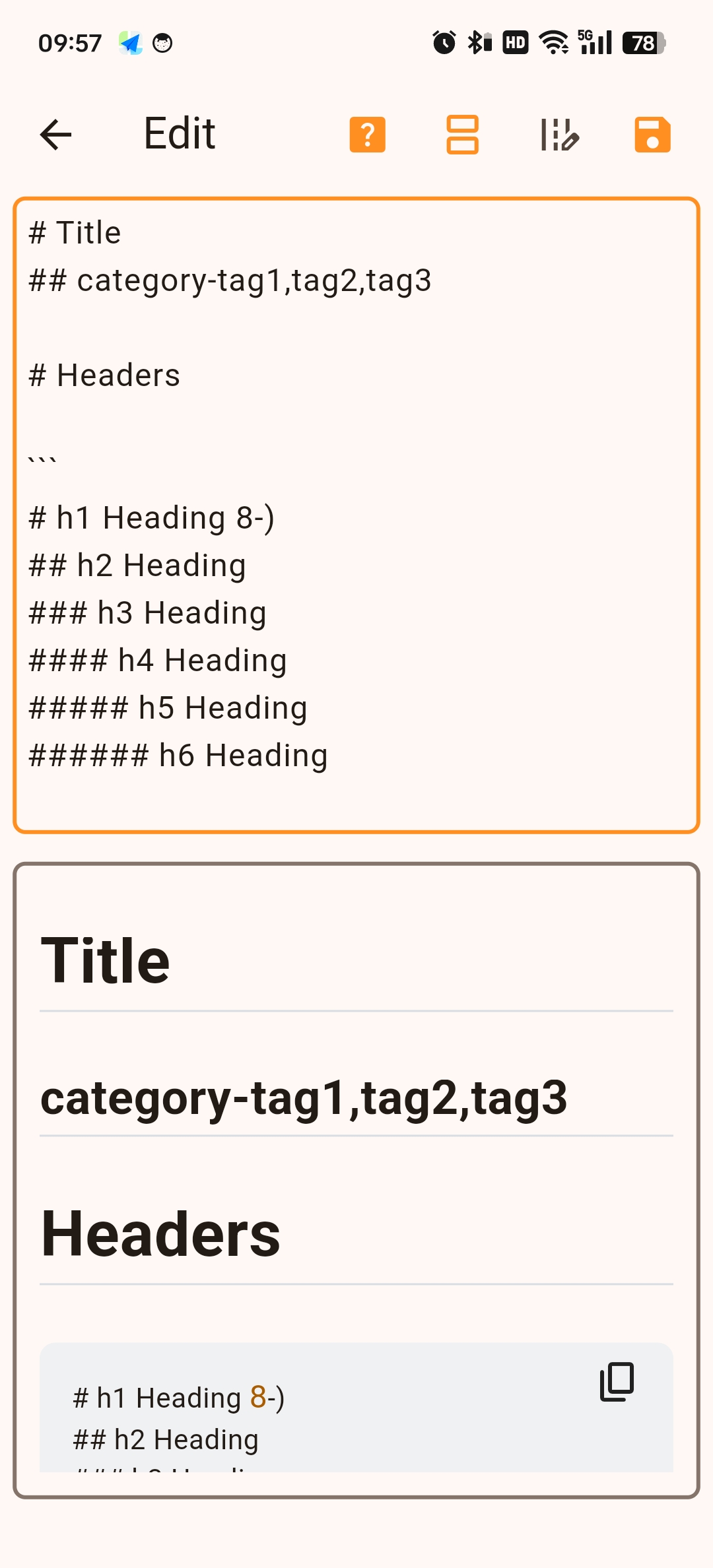
Rich Markdown Rendering
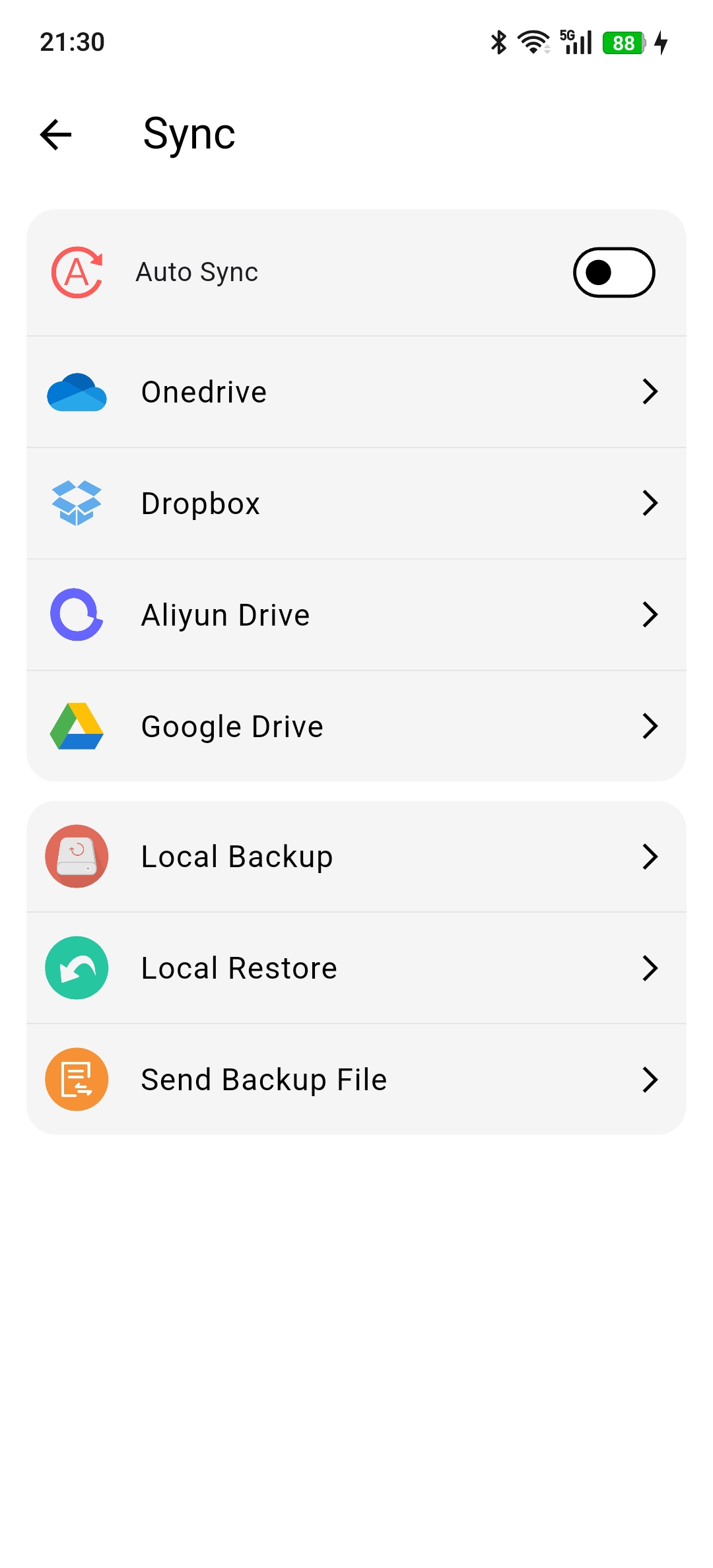
Encrypted Sync & Cloud Backup
Core Features
1. Scan-to-Open Notes (Barcode & QR Code Binding)
The core highlight of CocoNote. Bind any QR code or standard barcode to a specific note. Whether you are scanning a product in a store, a server rack label, or a storage box in your garage, one scan brings up the exact note and details instantly.
2. Encrypted Note Sharing
Privacy matters. CocoNote lets you generate encrypted shareable content, ensuring that private information, credentials, or sensitive notes can be securely sent and unlocked only by intended recipients.
3. Native Markdown Support & Tag System
Write formatted notes cleanly using full Markdown syntax (headers, checklists, code blocks, tables). Organize and cross-reference information quickly using a flexible tag management system.
4. Smart Reminders & Fast Capture
- Set time-based alerts and notifications for critical tasks or medication instructions.
- Fast capture support for text, images, and audio attachments on the go.
5. Seamless Multi-Device Sync & Local-First Resilience
Designed with a local-first mindset—your data is always accessible offline on your device, with optional cloud sync to keep notes in harmony across all your devices.
Built with Craft & Care
CocoNote is built using Flutter, engineered for high performance, smooth 60fps animations, and a polished user experience on both Android and iOS.
What’s Coming Next
- Enhanced batch barcode import & export (CSV / JSON)
- Advanced OCR scanning for receipt text extraction
- Desktop companion client built with Flutter Desktop / Tauri
Get CocoNote
CocoNote is rolling out across app stores. Stay tuned for upcoming release notes and deep-dive technical articles on how its offline sync engine and camera scanning pipeline were architected.