
A False Alarm: Why My SSD Write Speed Plummeted to a Few Hundred KB/s
A couple of days ago, while remotely operating a secondary PC in another room, everything felt unusually sluggish. At first, I blamed flaky local network latency. But the next morning, I reconnected only to find the computer sitting at the Windows login screen after an unexpected reboot. Clearly, something was wrong.
🚨 The Symptoms
After logging in and checking event logs, daily applications were taking ages to launch. Suspecting a failing disk drive, I grabbed an installation package to test write throughput. The progress bar barely crawled.
Opening Windows Task Manager revealed the grim reality: active SSD write speeds had cratered to just a few hundred KB/s with 100% active time.
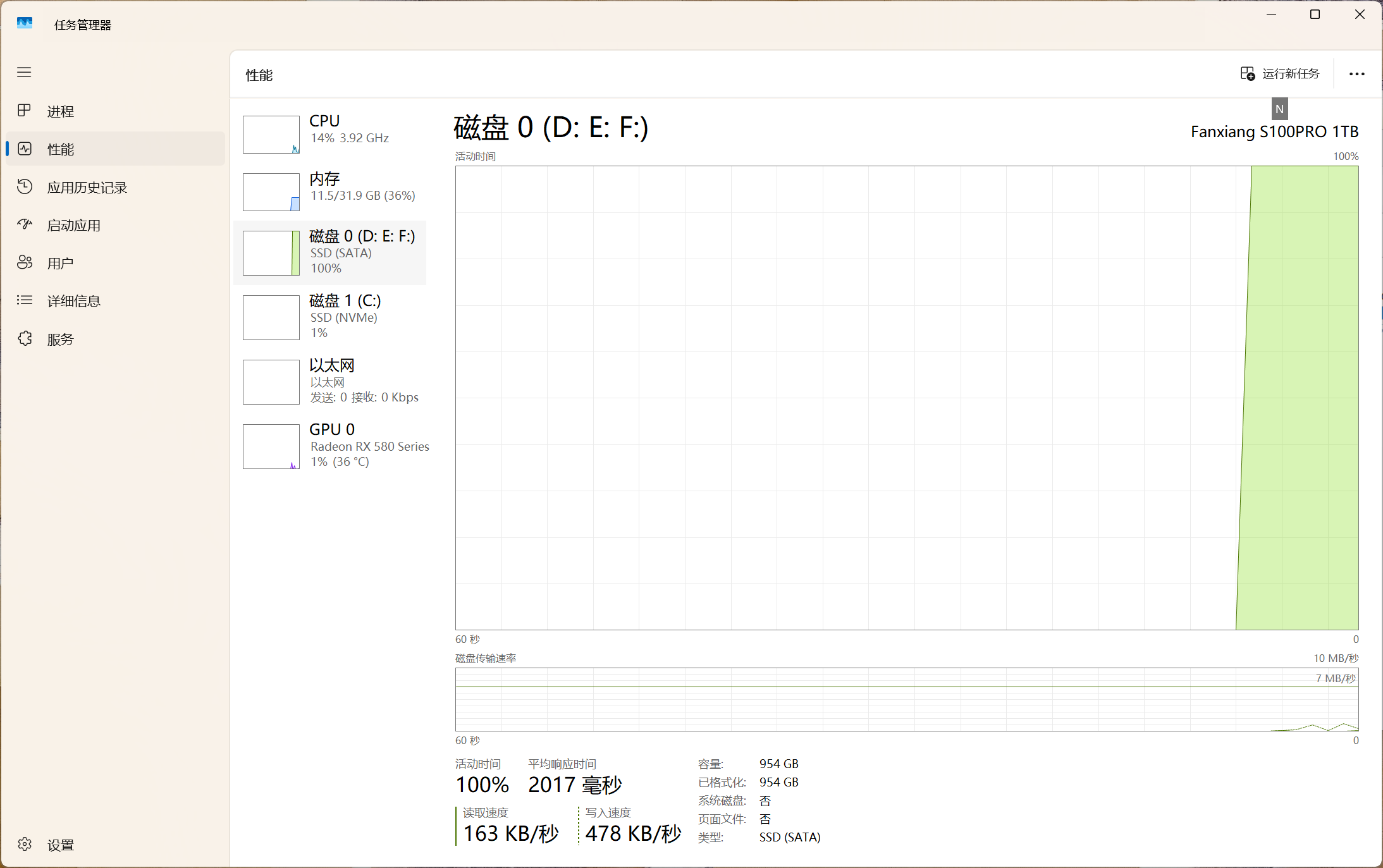
Task Manager showing disk throughput crushed under a few hundred KB/s
The operating system was still functional only because Windows itself was booted off a separate primary NVMe M.2 drive. The troubled drive was a secondary 1TB SATA SSD (Fanxiang S100PRO) equipped with Yangtze Memory (YMTC) 3D NAND flash.
What struck me as strange was that this specific machine was rarely under heavy load. A drive shouldn’t degrade this quickly.
Firing up CrystalDiskInfo, the drive reported 100% health, around 400 power-on counts, and roughly 4,000 power-on hours:
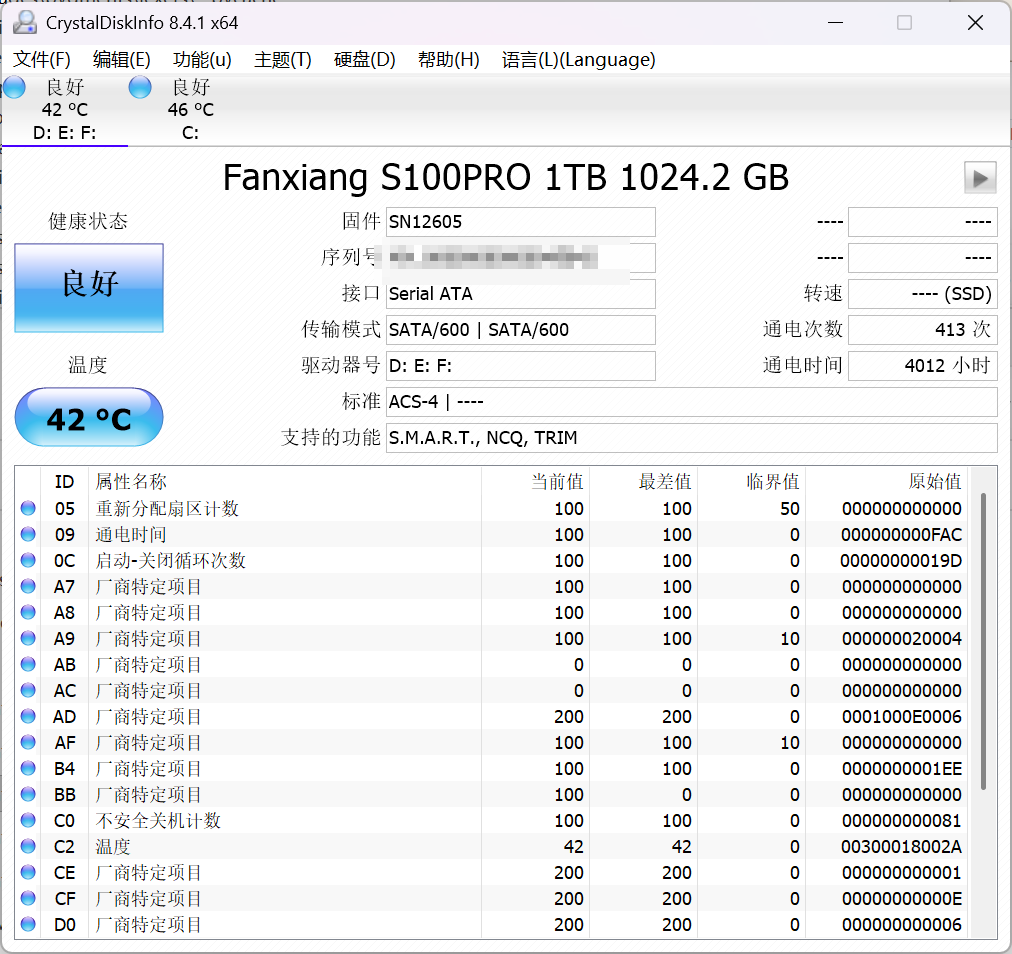
CrystalDiskInfo shows 100% health with clean SMART attributes
💀 The “SSD Killer” Trauma
I have an unfortunate history with solid-state storage. Thirteen years ago, I bought my very first Samsung 840 SSD for over 2,000 RMB. It died after just a year and a half. Worse yet, I had unpushed Git commits on a local project and lost several days of code.
Over the years, I’ve managed to wear out an Intel 525 mSATA, an OCZ Arc 100 with Toshiba MLC flash, a Toshiba Q200, and an older Kingston drive. Because of this track record, I usually install reliable enterprise drives in my primary workstation, while using budget drives for secondary machines.
With current NAND prices climbing, replacing a 1TB drive was the last thing I wanted to deal with.
🔬 Isolating the Culprit
To rule out physical flash corruption, I pulled the drive from the case and mounted it inside an external USB 3.0 SATA enclosure connected to my laptop.
Result: It ran perfectly. Sequential reads and writes hit full SATA III line speeds without hesitation.
That immediately shifted suspicion from the NAND flash to the motherboard or cable.
I opened up the PC case and tried swapping to a brand-new SATA data cable, but the slowdown persisted. Finally, I moved the cable over to a different SATA port on the motherboard—and instantly, write speeds bounced back to a healthy 450+ MB/s!
🛠️ The Real Villain: Motherboard Port Layout
The motherboard in this rig is a Gigabyte B450M DS3H:
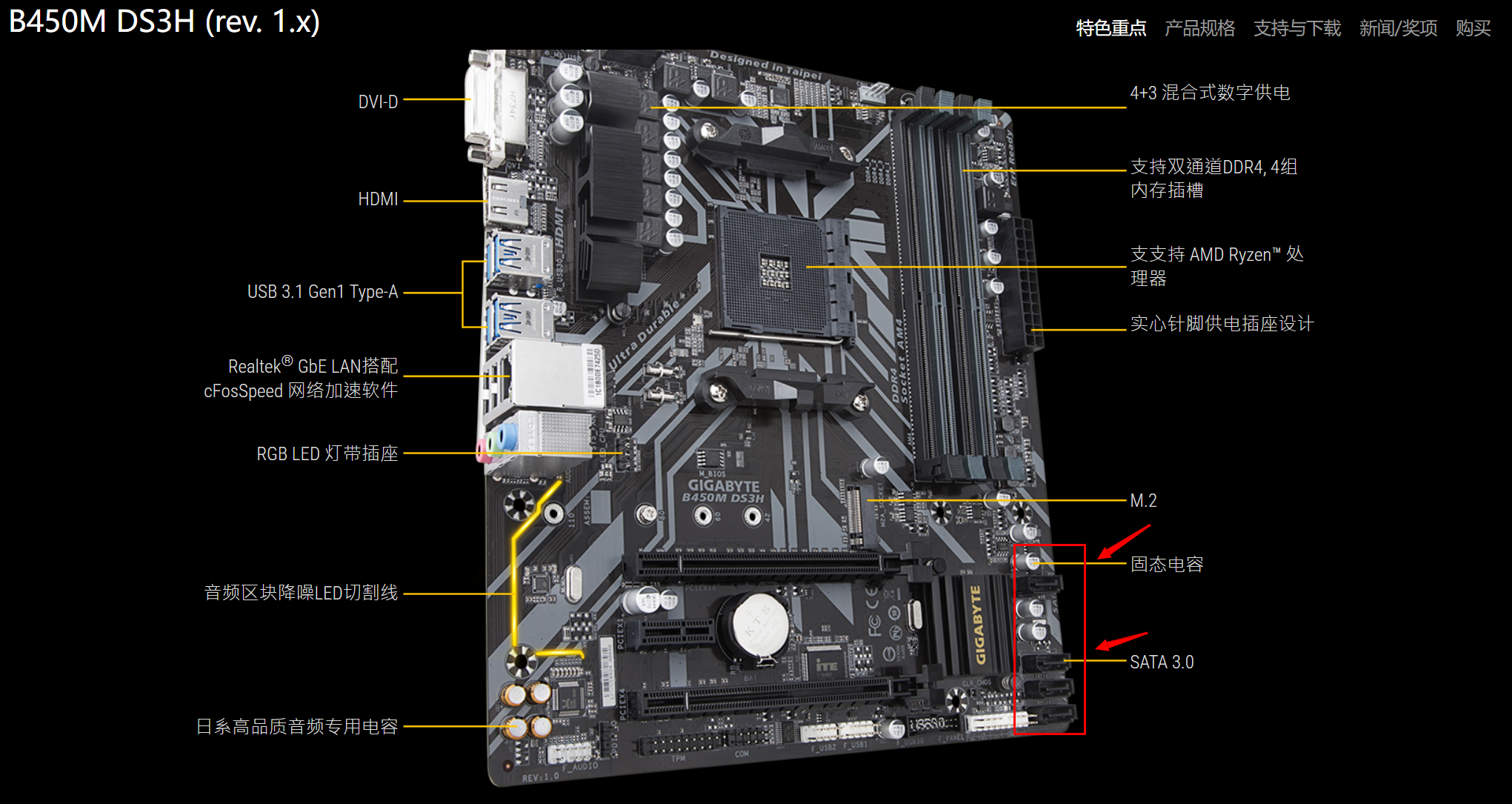
The dual-slot GPU heat shroud directly pressing against the motherboard's horizontal SATA ports
The board’s physical layout is notably awkward:
- Installing any moderately long dual-slot graphics card completely overhangs the top-right SATA port.
- The cooler shroud exerts constant, downward physical torque on the secondary SATA port directly beneath it.
Over months of subtle thermal expansion and vibration, the pressure degraded the contact pins inside the SATA connector. The SATA controller began suffering severe CRC transmission errors and protocol-level retransmissions, forcing the link speed down into the floor.
📋 Takeaways
- Before declaring an SSD dead, test it outside the chassis: A quick check inside an external USB drive enclosure isolates controller/motherboard problems from flash degradation.
- Watch out for PCIe card clearance: Micro-ATX boards often pack SATA headers uncomfortably close to PCIe x16 slots. If a heavy GPU heatsink presses on standard SATA plugs, consider using right-angle low-profile connectors or alternate ports.
- Budget YMTC flash holds up: The 1TB drive has completed three years and over 4,000 operating hours with zero reallocated sectors. Modern domestic NAND has matured into genuinely reliable everyday storage.